
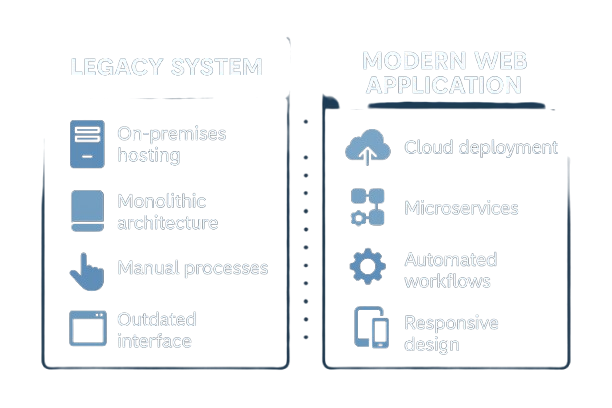
Here’s exactly what changes when you modernize
|
Feature
|
Legacy Desktop Database
|
Modern Web Application
|
|---|---|---|
|
Access Location
|
Desktop only - must be in office or on VPN
|
Anywhere with internet - office, home, mobile, anywhere
|
|
Concurrent Users
|
Single user or limited simultaneous access (file locking issues)
|
Unlimited simultaneous users
|
|
Database Size Limit
|
Hard limits (2GB for Access, varies by platform)
|
Unlimited (tested to 100+ GB)
|
|
Mobile Access
|
None or extremely limited - desktop only
|
Full responsive design - phones, tablets
|
|
Data Security
|
Weak password protection, easily bypassed
|
Encrypted connections, role-based permissions, audit logs
|
|
Backup & Recovery
|
Manual file copy, prone to corruption
|
Automated daily backups, point-in-time recovery
|
|
System Updates
|
Breaks with OS updates, manual repairs required
|
Cloud-hosted, auto-updated, zero downtime
|
|
Data Corruption Risk
|
High - requires frequent maintenance
|
Near zero - transactional database
|
|
Integration Options
|
Limited - ODBC only, difficult to maintain
|
RESTful API - integrate with anything
|
|
User Permissions
|
Basic or non-existent - difficult to configure
|
Role-based, granular control by user/group
|
|
Audit Trail
|
None unless custom-built
|
Complete activity log - who changed what, when
|
|
Performance at Scale
|
Slows dramatically with data growth
|
Consistent performance - optimized queries
|
|
Developer Availability
|
Shrinking pool, aging workforce, expensive
|
Large talent pool, modern frameworks
|
|
Compliance Ready
|
No - fails most security audits
|
Yes - HIPAA, SOC 2, GDPR capable
|
|
Disaster Recovery
|
Hope you have a recent backup
|
Geographic redundancy, automatic failover
|
|
Vendor Support
|
Limited or discontinued (FoxPro, Lotus Notes)
|
Active development communities, ongoing support
|
Each legacy system has unique challenges beyond the common issues:
Hidden costs add up fast. Here’s the real comparison:
Plus: improved security, better compliance, happier employees, and the ability to actually work remotely
Typical timeline for legacy system to web app conversion:
We analyze your legacy system, document workflows, reverse-engineer business logic, and create detailed migration plan. You keep using your current system normally.
We rebuild your system as a web app and migrate all data. You still work in your legacy system – zero disruption.
Both systems run in parallel. Your team tests the new system and we train everyone. Still using legacy system for production.
Final data sync and cutover. You start using the new system. We monitor closely and provide support.
We fix any issues, optimize performance, and ensure everyone is comfortable. Legacy system archived as backup.
Honest assessment of when conversion makes sense:
Note: Even in these cases, you’re still at risk of corruption, unsupported software, and will eventually need to upgrade.
If 3+ items apply, conversion ROI is strong.
We’ll analyze your specific legacy system and provide a detailed assessment – timeline, exact costs, ROI calculation, and migration plan. No obligation.

Less Chaos. More Clients. Real Systems.
Built for the Owner,
Not the Algorithm
MosierData
211 E. Main St, Ste 213
Lakeland, FL 33801
(863) 687-0000